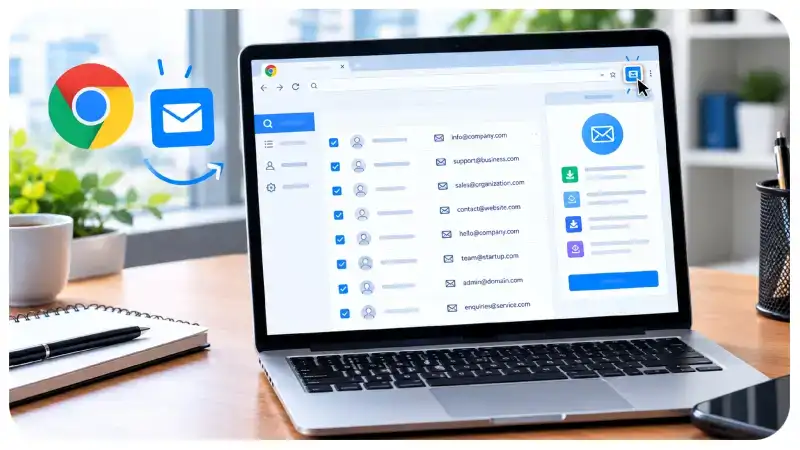
Finding the right email address online still feels like a chore for a lot of people. You land on a company website, dig through the Contact page, About section, or team bios, and still end up copying addresses one by one. An Email Extractor Chrome Extension is built to cut that friction. It scans the page (or sometimes multiple pages) and pulls out the email addresses that are already publicly visible, then presents them in a clean list you can review, clean up, and export.
These tools are popular with marketers, sales teams, recruiters, SEO specialists, researchers, and small business owners who regularly need to reach out to companies or individuals. They do not magically invent private emails or hack into databases. They simply make the public information already on a website easier to collect and organize.
What Exactly Is an Email Extractor Chrome Extension?
An Email Extractor Chrome Extension is a browser add-on that detects email addresses appearing on web pages. Instead of manually highlighting and copying every address, you open the site, click the extension, and let it do the scanning.
Some versions only look at the current page. Others can crawl linked pages within the same domain, remove duplicates, check basic email format validity, and export the results as a CSV file. The better ones keep the interface simple so you do not need a manual just to run a scan.
One important reality check: finding an email on a website does not mean the address is still active, belongs to the person you think it does, or is the right channel for your message. Always treat the results as a starting point, not a finished contact list.
How an Email Extractor Chrome Extension Actually Works
Most of these tools follow a similar workflow.
- Install from the Chrome Web Store
Search for the extension, read the description, check recent reviews, look at the developer’s other products, and pay attention to the permissions it requests. If an extension asks for far more access than it needs, that is usually a red flag. - Visit a relevant page
Go to a website where contact information is legitimately published — company contact pages, team directories, partnership sections, or support pages. - Run the scan
Click the extension icon. Some tools scan only the open tab. Others offer options to include sub-pages or specific sections of the site. - Review what it finds
Look through the list carefully. You will often see duplicates, outdated addresses, or text that looks like an email but is not a working contact. Delete anything that does not belong. - Export or copy the clean list
Many extensions let you copy the results or download them as a CSV so you can drop them into a spreadsheet or CRM.
The whole process is fast once you get used to it, but the quality of the output still depends on how the website displays its contact information and how carefully you clean the results.
Useful Features Worth Looking For
Not every email extractor is equal. Here are the features that actually matter in day-to-day use:
- Accurate detection — It should reliably find emails written in normal text without picking up every random @ symbol on the page.
- Duplicate removal — Websites often repeat the same address in the header, footer, and contact form. Automatic deduplication saves cleanup time.
- Export options — CSV support is almost essential if you plan to keep the contacts organized.
- Multi-page scanning — Helpful when a company spreads contact details across several pages.
- Simple interface — Clear buttons and transparent results make the tool usable even if you only open it a few times a month.
- Basic format checking — Some tools flag addresses that do not follow a standard email pattern, which can catch obvious errors early.
Advanced extras like automatic verification or CRM integrations sound nice, but many people only need solid detection, cleanup, and export.
Real Benefits People Get From These Tools
Time savings
Manually hunting for emails across multiple sites is slow and repetitive. An extractor turns that into a quick scan-and-review step.
Better outreach preparation
Sales and business development teams can gather publicly listed inquiry addresses more efficiently when researching potential partners or clients.
SEO and content outreach
SEO professionals often need to contact site owners about guest posts, broken links, resource page opportunities, or content collaborations. Finding the right editorial or partnerships email becomes faster.
Cleaner contact records
When the extension removes duplicates and supports easy export, the resulting list is easier to maintain and less messy than a pile of copied text.
Research efficiency
Anyone collecting publicly available contact details for legitimate projects can reduce the manual effort involved.
Who Typically Uses Email Extractor Extensions?
- SEO specialists looking for relevant website contacts
- Sales and business development professionals
- Recruiters searching for careers or hiring emails
- Small business owners researching suppliers or partners
- Researchers and journalists working with publicly listed information
The common thread is the need for relevant, publicly available contact details rather than bulk scraping of personal emails.
How to Choose a Reliable Email Extractor
Before installing anything, do a quick evaluation:
- Read recent Chrome Web Store reviews and check when the extension was last updated.
- Examine the permissions carefully. Access should match the features being offered.
- Read the privacy policy. Prefer tools that process data locally or are transparent about what (if anything) leaves your browser.
- Decide whether you need only single-page scanning or multi-page and export features.
- Check pricing. Some free tools are perfectly adequate for light use; paid plans usually add higher limits or extra features.
A lightweight, well-maintained extension is often better than a flashy one that requests excessive permissions.
Privacy, Legality, and Responsible Use
Just because an email appears on a public website does not mean you have unlimited permission to email that address. Use contact details in a way that matches their published purpose. A customer support email is not automatically an open invitation for cold marketing.
Respect applicable laws such as the CAN-SPAM Act in the United States and any local data protection or anti-spam rules that apply where you or the recipient are located. Avoid tools that claim to find private or non-public emails. Do not use extensions to bypass login walls or access restricted areas.
Keep any contact list you create secure, remove outdated entries, and honor unsubscribe or do-not-contact requests promptly. Targeted, relevant outreach almost always performs better than high-volume unsolicited messages.
Limitations You Should Expect
No email extractor finds every address on every site. Emails shown as images, generated by JavaScript, or deliberately obfuscated are often missed. Detected addresses can be outdated or inactive. The extension only sees what is publicly rendered in the browser.
Browser and website changes can also affect how well an extension works after updates. Always double-check important contacts through another reliable channel before relying on them.
Frequently Asked Questions
Are these extensions free?
Many offer free basic scanning. Advanced features such as higher limits, multi-page crawls, or bulk export often require a paid plan.
Can an extractor find every email on a website?
No. Results depend on how the site displays the addresses and what the extension is designed to detect.
Are they safe to install?
Safety depends on the developer. Check permissions, privacy policy, update history, and user feedback before installing.
Can I use the extracted emails for marketing?
Only if your collection method and messaging comply with the law and the recipient’s expectations. Public display alone does not equal marketing consent.
Do these tools verify that an email works?
Most only detect the pattern of an email address. Actual verification is a separate step and is not guaranteed even when offered.
Final Thoughts
An Email Extractor Chrome Extension is a practical research aid, not a magic contact generator. Used thoughtfully, it can save time, keep contact lists cleaner, and help professionals reach the right public channels more efficiently. The key is choosing a transparent tool, reviewing results carefully, and treating the information with respect for privacy and relevance.
Focus on quality over quantity, verify important contacts, and keep your outreach purposeful. That approach turns a simple browser extension into a genuinely useful part of your research workflow.